A sensory tool for iPhone
istimi: calm or wake up, with sound.
For when it is all too much, or not enough. Open it and sound fades up on its own, quietly. Say how you feel and it makes music for that. Touching nothing else is a normal way to use it.
How it works
Three steps. The last one is doing nothing.
- 01
Open it
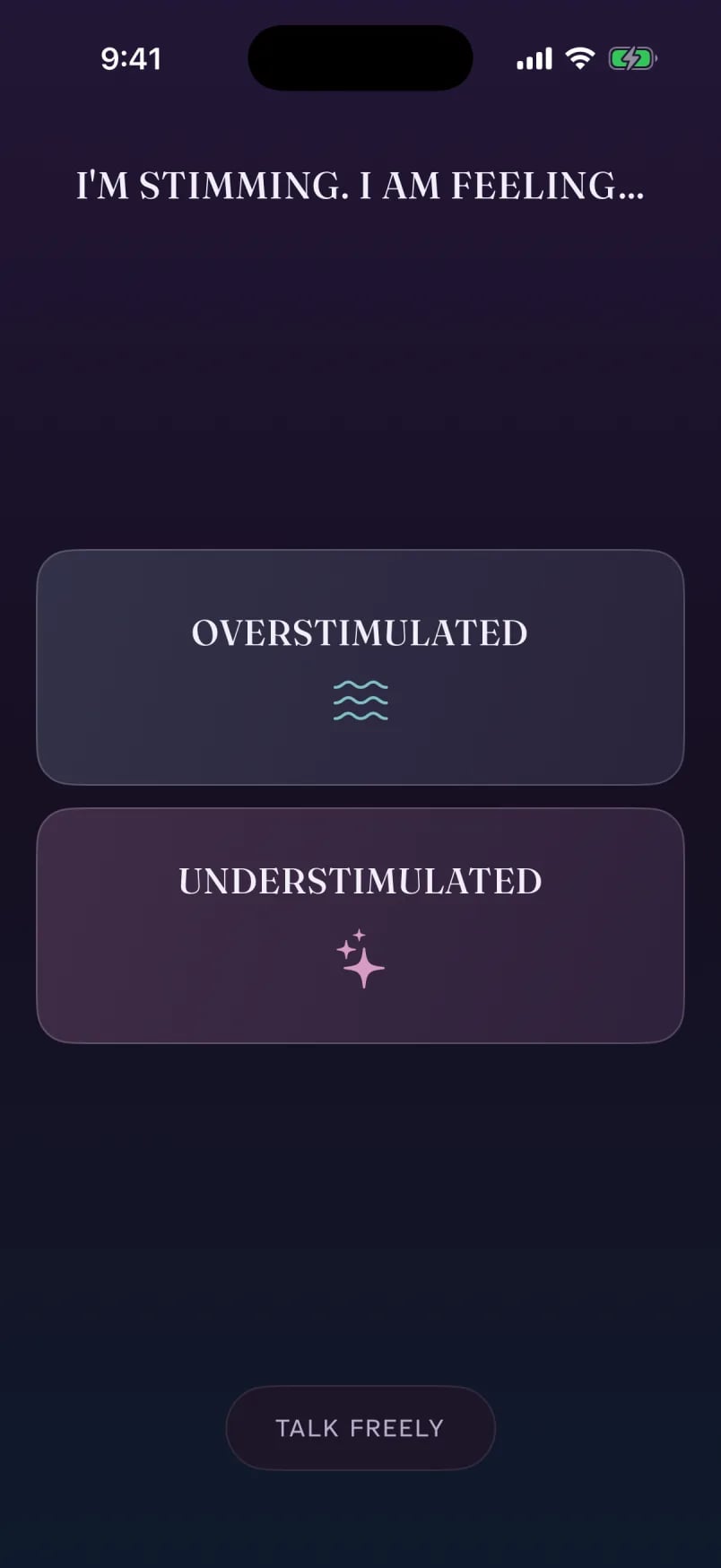
Sound fades up on its own, quietly. If you would rather it waited, it can wait for a tap instead.
- 02
Say how you feel
OVERSTIMULATED or UNDERSTIMULATED. One tap, and istimi makes instrumental music for that.
- 03
Let it play
Touch nothing else if you would rather not. It keeps playing with the screen locked.
What it does
A few calm things, done gently.
Three keys at the bottom, Sound, More and You, and one thing on screen at a time.
Sound
Music for how you feel.
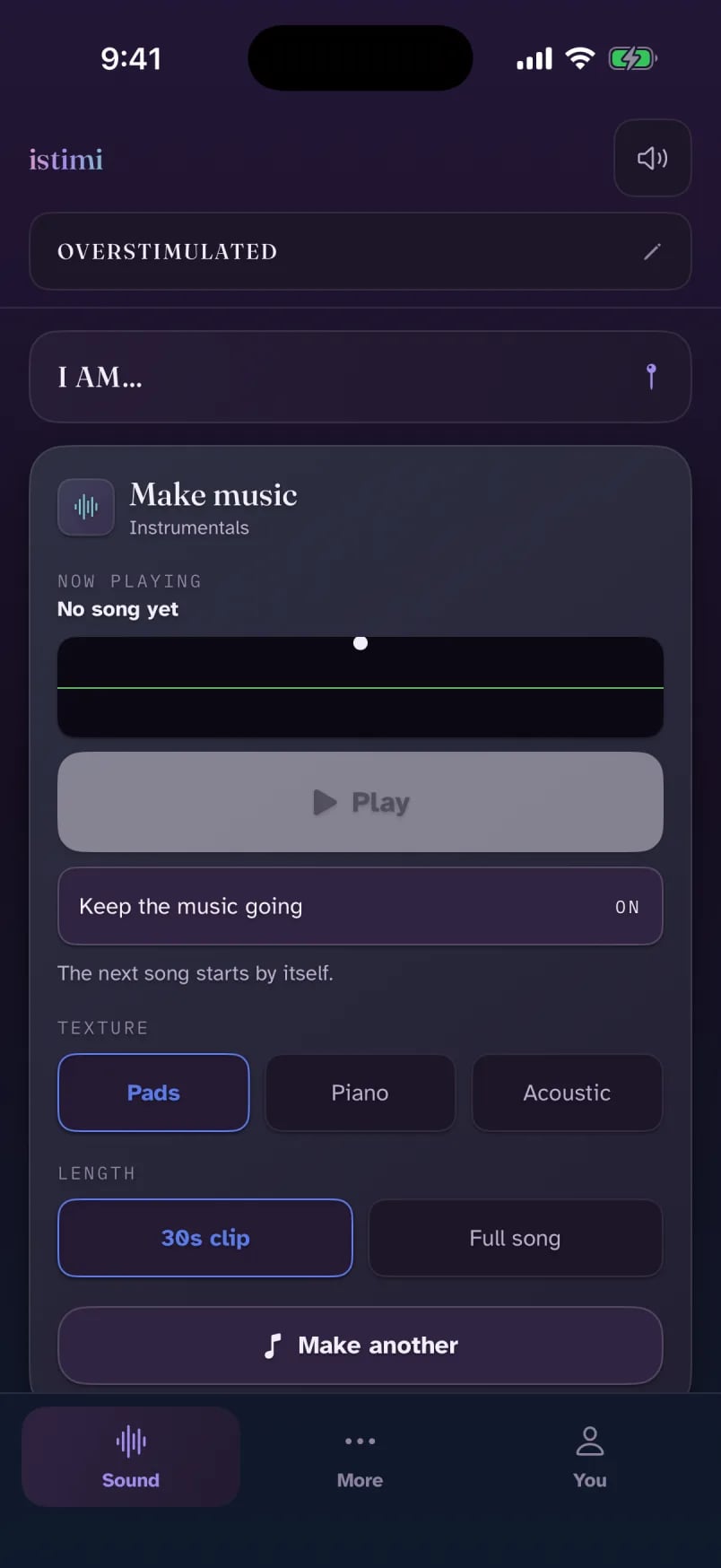
Pick OVERSTIMULATED or UNDERSTIMULATED and istimi makes instrumental music for that: calming when it is all too much, energising when it is not enough.
- Three textures: Pads, Piano and Acoustic.
- A 30-second clip or a full song.
- Keep the music going, and the next song starts by itself.
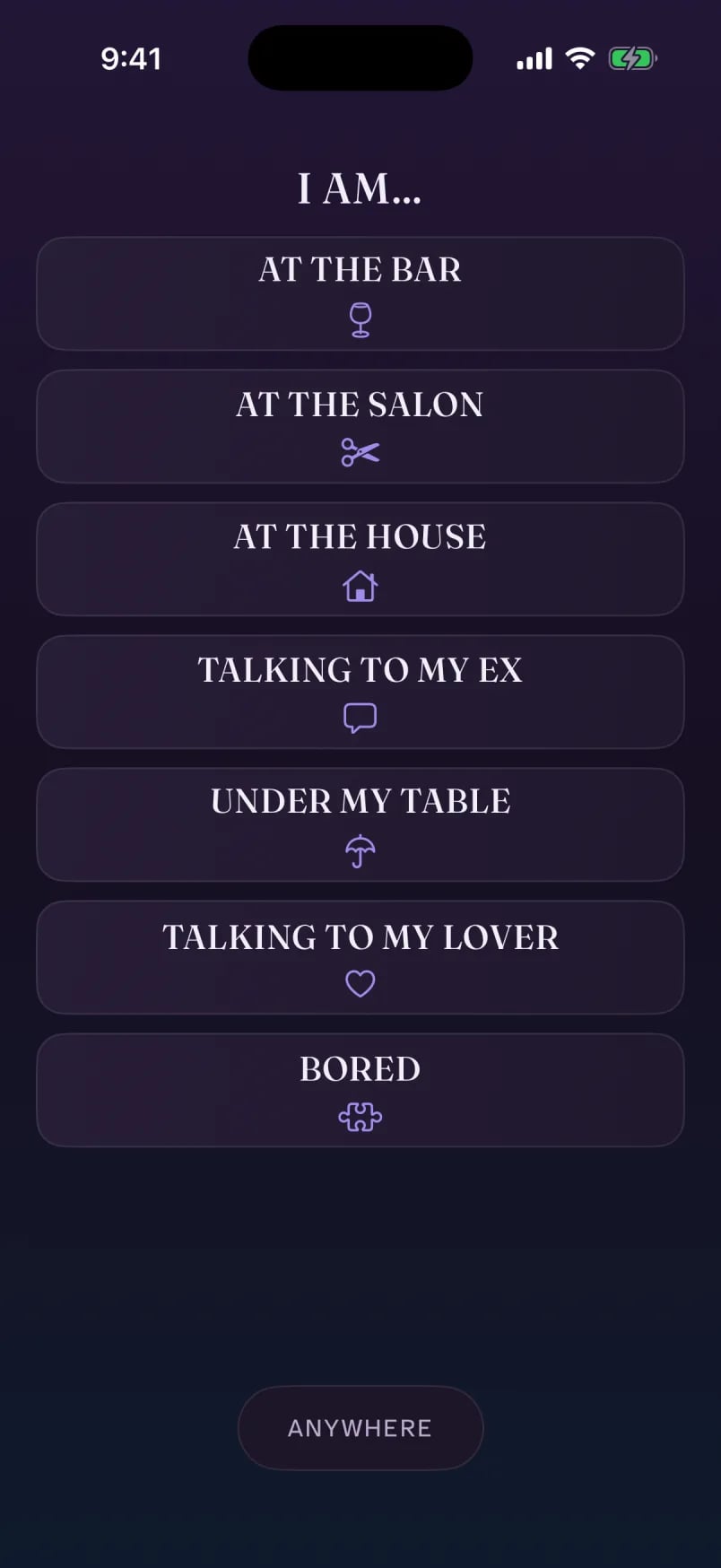
- An optional I AM… place, like at the house or under my table, that the music leans toward.
Underneath
A gentle bed of sound.
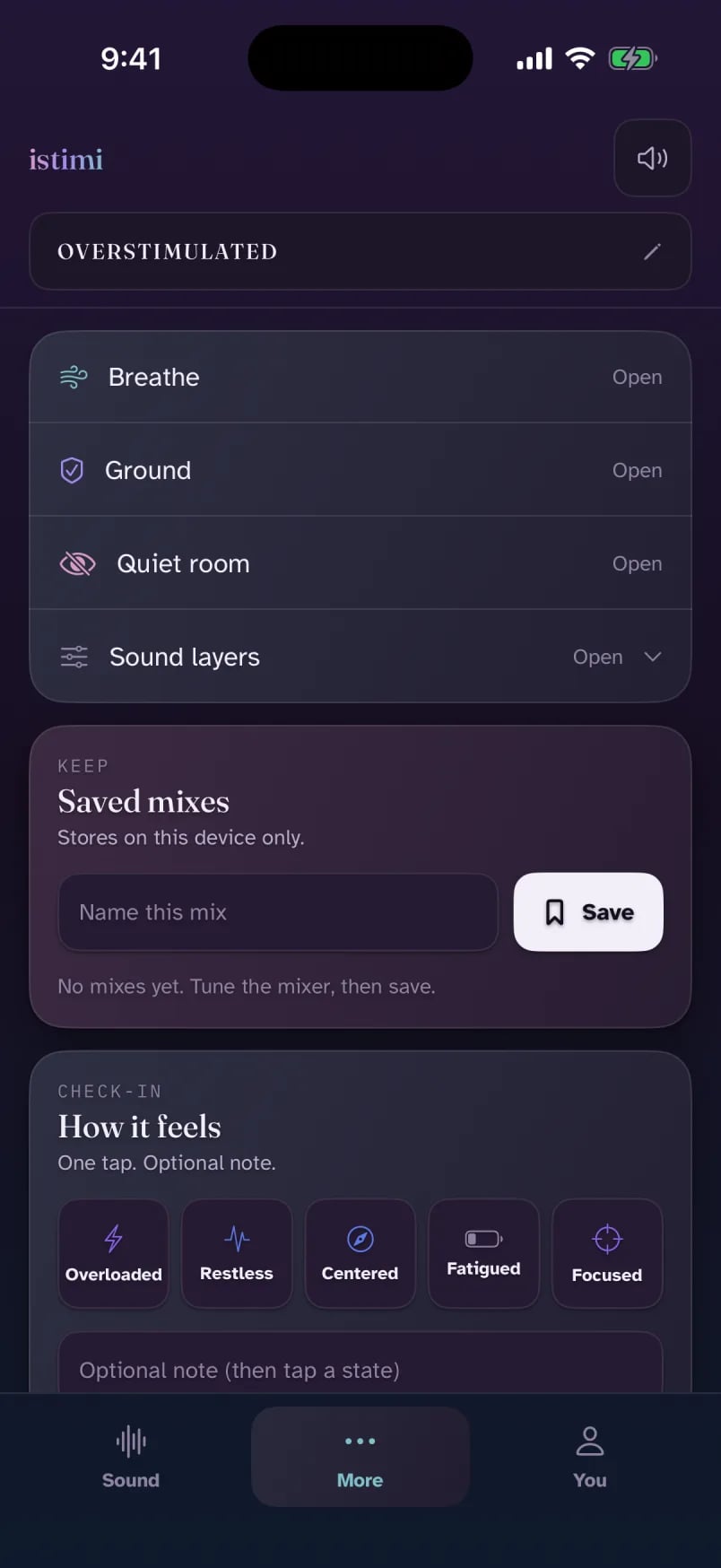
Hum, rain, drone and pulse sit softly under the music. Turn each one up or down in Sound layers, and save the mixes you like.
- Sound layers: a simple mixer for the four sounds.
- Saved mixes, to come back to a sound that works.
- How it feels: an optional one-tap check-in, kept on your phone.
Keeps playing, locked and silent.
Lock the screen and flip the silent switch, and the sound carries on. One button at the top mutes everything at once.
Keep songs. No signal needed.
Keep the songs you like. They stay on your phone and play with no signal. With no connection at all, istimi makes songs on the phone itself.
More
Breathe, ground, or go quiet.
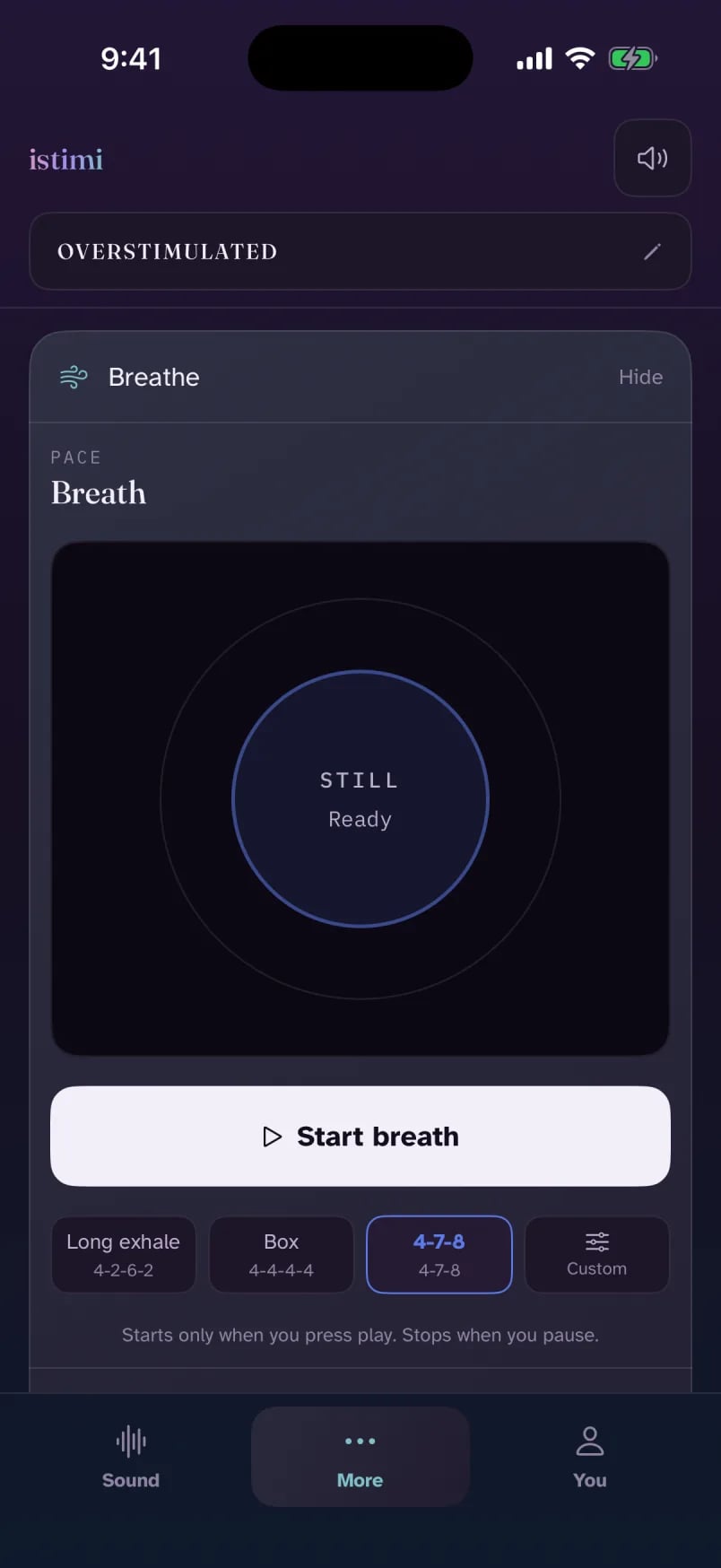
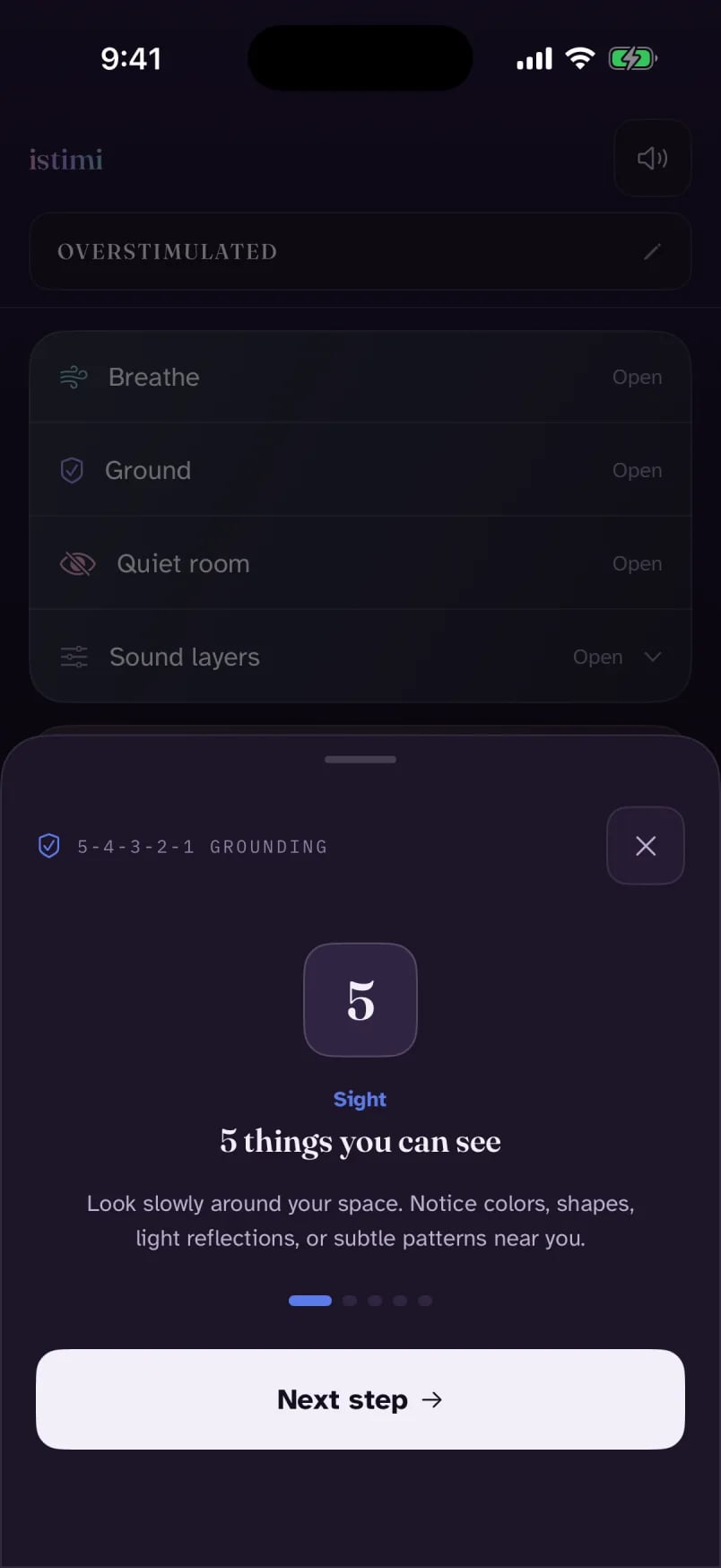
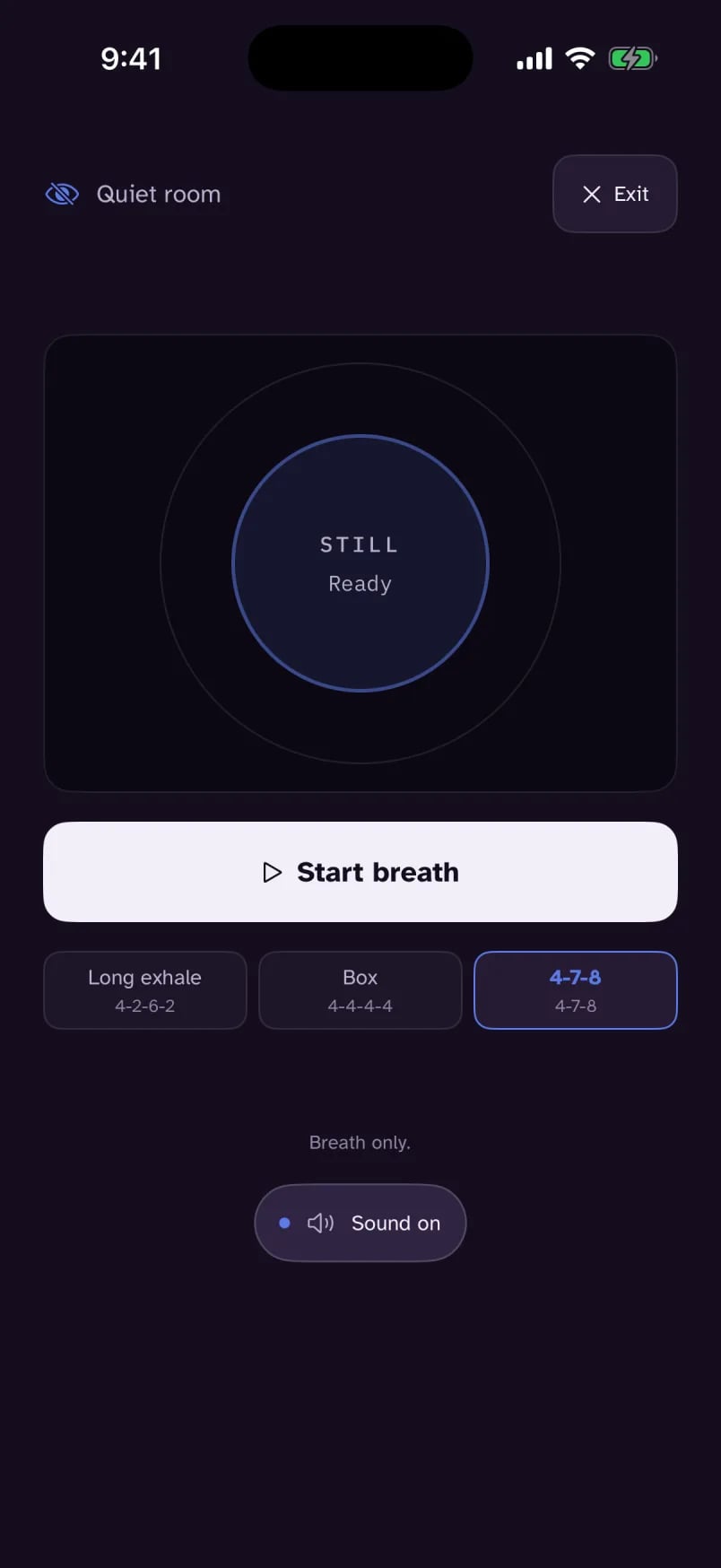
When music is not quite it, a few simple tools sit one tap away.
- Breathe: a slow pacer that starts only when you press play.
- Ground: the 5-4-3-2-1 walk, one step at a time.
- Quiet room: breath only, and everything else goes still.
You
Your things stay yours.
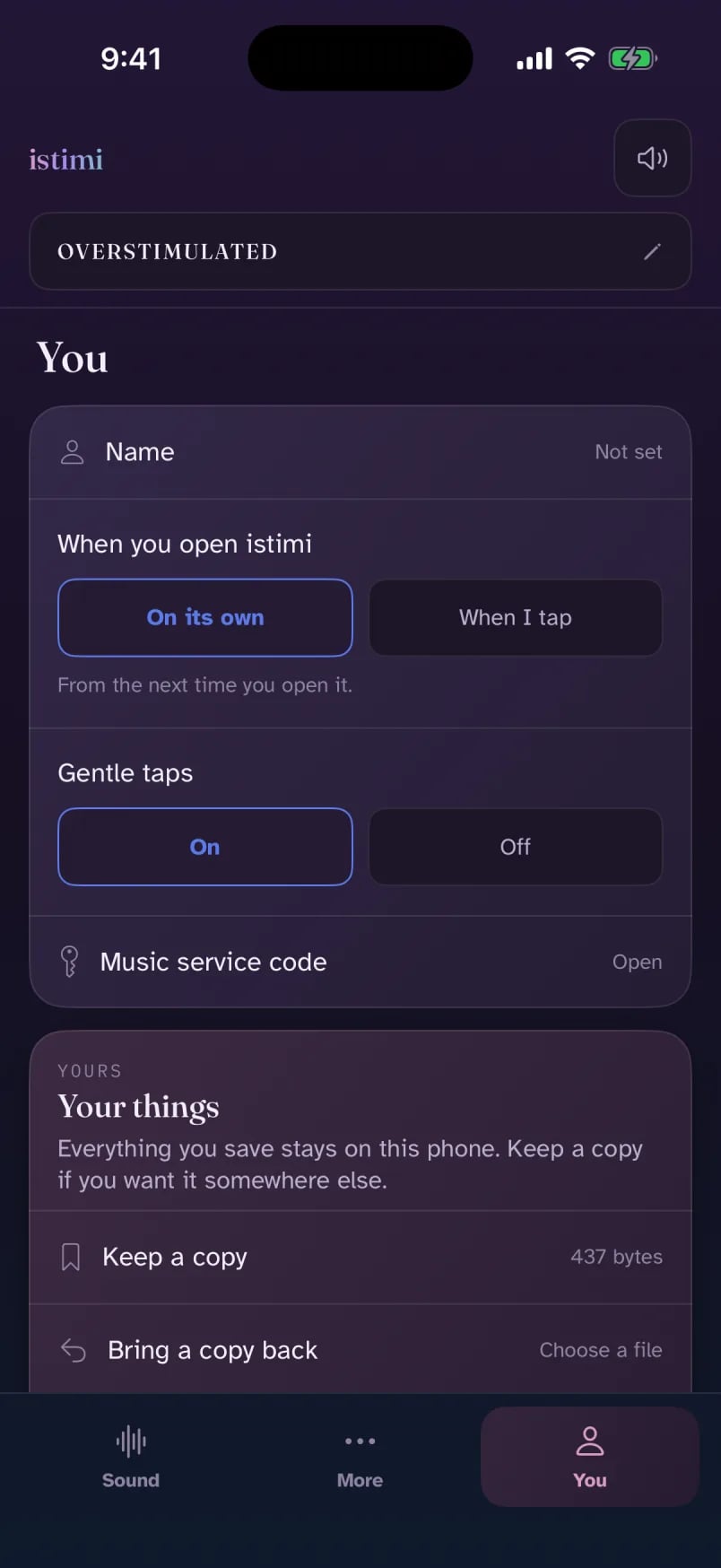
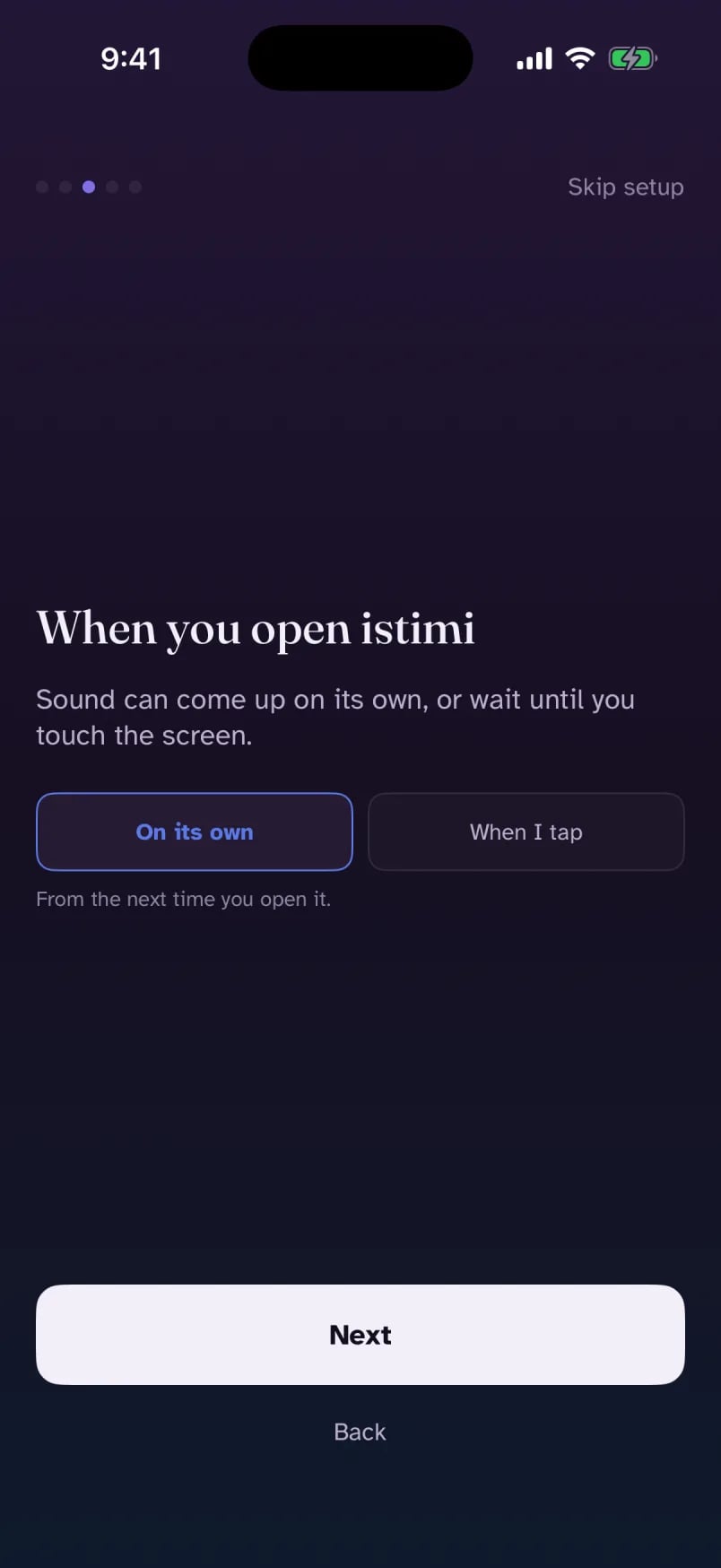
A short first-run setup asks a few small things, and every answer can change later in You.
- A name to show you, or none at all.
- How sound starts: on its own, or when you tap.
- Gentle taps: a small vibration you feel when you press something, on or off.
- Your things: save a copy to a file, bring it back on a new phone, or delete everything in one step.
Promises
Calm is the whole point.
istimi is built so that nothing in it spikes: no flashes, no sudden sounds, nothing to keep up with.
Nothing gets suddenly louder
Sound starts softly and fades up. Nothing ever jumps in volume.
No account
No sign-in, no adverts, no analytics. Open it and it works.
Nothing about you leaves your phone
The only thing sent anywhere is a short text description of the music to make. Not even your name.
No streaks or scores
Nothing to keep up with. Use it when you need it, close it when you do not.
Questions
Plain answers.
Who is istimi for?
People who get overstimulated or understimulated and want sound to help them settle or wake up. istimi is not a medical device and does not diagnose or treat any condition.
Does sound really start on its own?
Yes, quietly, fading up from silence. If you would rather it stayed silent until you touch it, open You, then When you open istimi, and choose When I tap.
Do I have to do anything?
No. Pick how you feel and let it play. Touching nothing else is a normal way to use it.
What kind of music does it make?
Instrumental music for how you feel, in one of three textures: Pads, Piano or Acoustic. Choose a 30-second clip or a full song. Turn on Keep the music going and the next song starts by itself.
Will it keep playing when I lock my phone?
Yes, on purpose, and with the silent switch on too. Use the speaker button at the top of the app to mute everything at once, or pause from the lock screen.
What leaves my phone?
Only a short text describing the music to make, and only when you ask for a song. It contains nothing about you, not even your name. Your settings, mixes, check-ins and kept songs stay on your phone. The privacy page has the detail.
Does it work with no signal?
Yes. Songs you keep play with no signal, and istimi can make songs on the phone itself. If the music service cannot be reached, it makes one on your phone and says why.
Do I need an account?
No. There is no sign-in, no adverts and no analytics, and nothing to keep up with: no streaks, no scores.
How do I move to a new phone?
Open You, then Your things, and choose Keep a copy. On the new phone, choose Bring a copy back and pick that file.
Is it on the App Store?
Not yet. The iPhone app is coming to the App Store. Until then you can use istimi on the web.
For when it is all too much, or not enough.
Try it now in your browser. The iPhone app is on its way to the App Store.